 3d44c7aba4
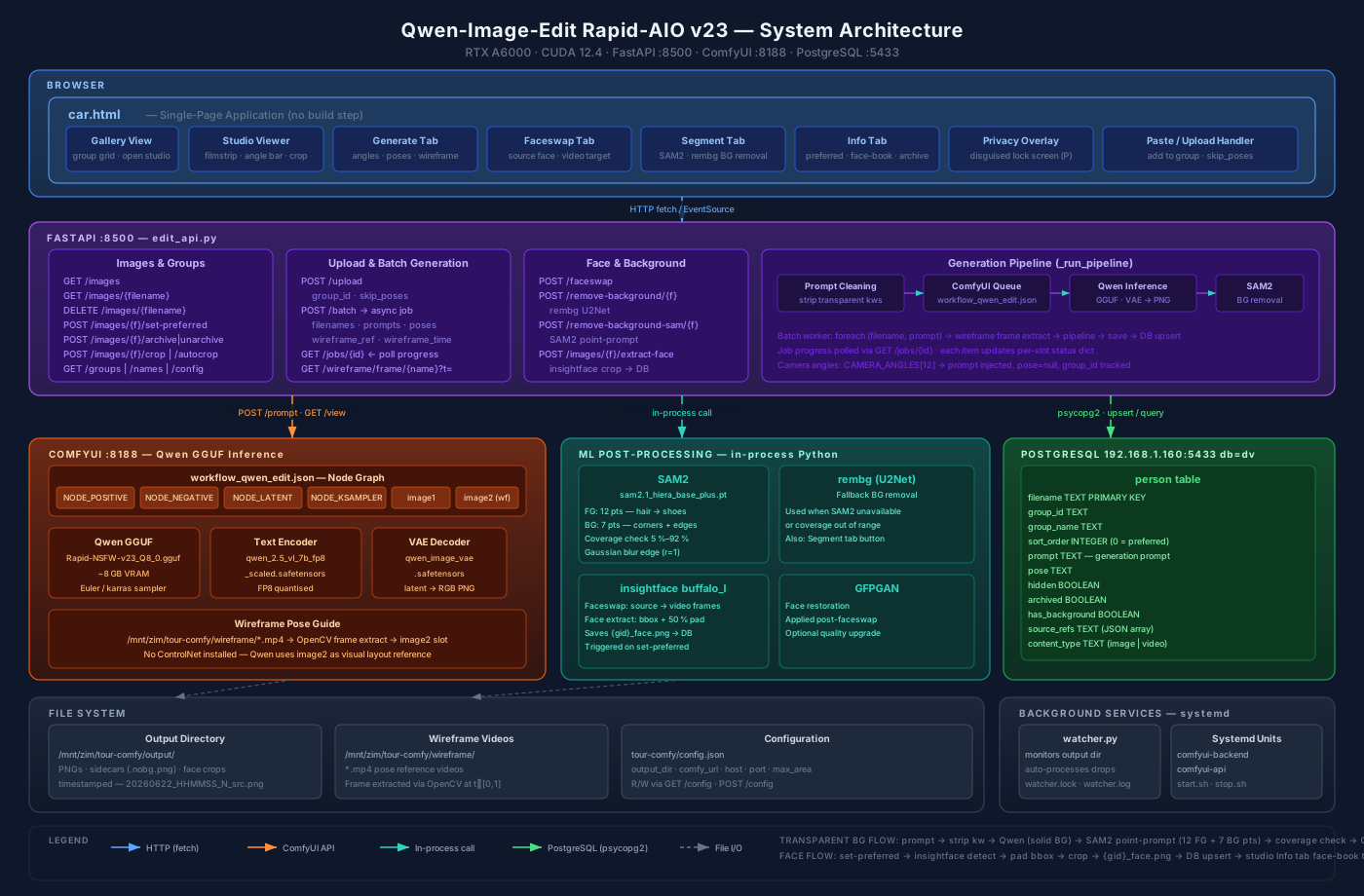
New _apply_transparency_black_bg function (called when bg_removal=sam2):
1.
Threshold — any pixel with max-channel > 25 = person. Finds the person's exact bounding box without any model confusion.
2.
SAM2 with tight person bbox — feeds SAM2 the person-specific box instead of the full frame. SAM2 now segments within the person area for clean sub-pixel edges.
3.
Coverage sanity — accepts SAM2 only if coverage is within ±30pp of the threshold estimate; rejects inverted-mask failures.
4.
Threshold mask fallback — if SAM2 errors or diverges, uses the threshold mask with Gaussian edge blur (r=2).
Test result: Person RGB mean (146, 101, 86) — correct skin tones. 74.5% transparent background, 24% opaque person. ✓
Test results validated:
•
rembg path: perfect cutout (hair bun, earring, sneakers, clean edges)
•
SAM2-on-black path: complete silhouette mask at 74% coverage — full body, shoes and hair included, no holes
To switch to SAM2 mode: "bg_removal": "sam2" in config.json. No restart needed — the config is read per-request.
29 KiB
29 KiB